Bisections are doing my head in!
Man medium is a lot rougher than easy haha o( ̄┰ ̄*)ゞ
[Mod edit: Please do not post codes on the forum.]
i can not pass 07 not there,is something error in codes?
The console told you what was wrong:
Failure: you are too late. Joker's bombs exploded. The hostages are dead. You lose :(
In the viewer, you can click the gear at the bottom right corner to turn on DEBUG MODE and ADAPTATIVE MODE. This will allow you to see clearly where the bomb is. You need a better strategy to reach that bomb earlier.
You will look for the hostages on a given building by jumping from one window to another using your grapnel gun. Your goal is to jump to the window where the hostages are located in order to disarm the bombs. Unfortunately, you have a limited number of jumps before the bombs go off… can somebody help me to solve this ?
Can you be more specific about how people should help you? Are there specific cases that you’ve failed? Or any aspects of the puzzle that you don’t understand? What approaches have you tried so far?
If the entire puzzle is too difficult for you, you may want to attempt some easier puzzles first.
My solution to this puzzle passes all of the tests, but I am only able to reach 85% for a score. Is there some way to know what the criteria is for getting a higher score? Is there a way to share my code with others to give feedback?
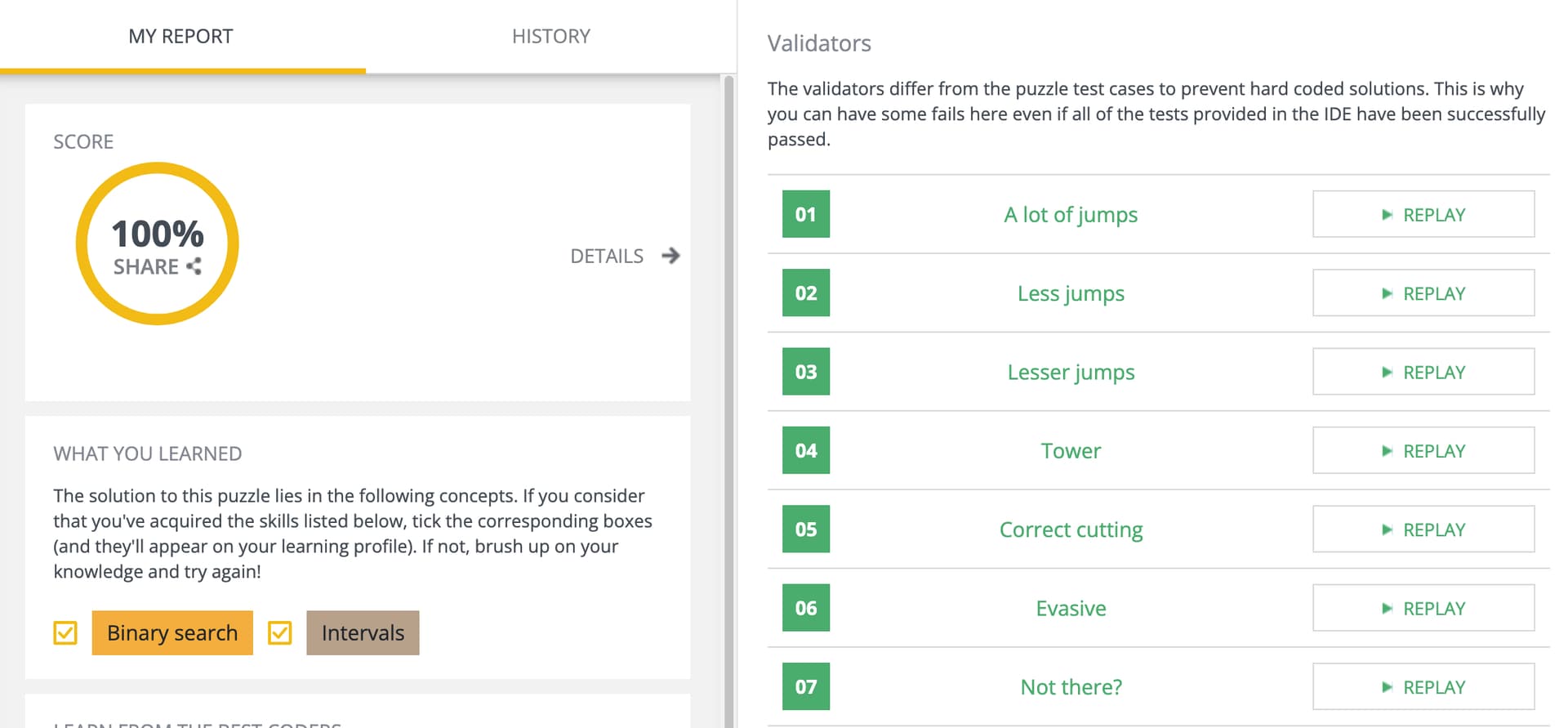
Tests and validators are different. You may check the details (see screenshot below) and watch the replay of the validator(s) you’ve failed to investigate what may have gone wrong:
Ahh, thank you.
Hi! I don’t know if anyone else has had a similar problem (it’s a little hard to search for), but Batman is just straight up jumping to the wrong window after receiving my output.
Standard Output Stream shows that my program is correctly outputting (35, 39) at one stage of Lesser Jumps, but the Debug mode shows Batman jumping to (35, 35) for some reason. As a result, the game tells him the bomb at (38, 38) is above and to the right of Batman, even though it should be below and to the right. In Tower, it’s even more inconsistent — the very first jump says Batman’s going to window (0, 40), but shows him going to (0, 34)!
Does anyone know why the game’s behavior seems to be messing up here?
Can you tell us which case it is, and share the link to the replay of that case?
Sorry, there was a seemingly unrelated problem in my binary search that I fixed, and the program works perfectly now. I snapped a screenshot of my original (wrong) program with inconsistent behavior, but I can’t upload images. Without access to the Standard Output Stream, I’m afraid a replay wouldn’t help much.
Hi, just having issues with the test case ‘Not there?’
All other test cases work for me, but when I go into this one it can’t progress after the bomb_dir reads the input the second time.
By this, I mean that I can put code immediately prior to this line in the second loop and it will execute, but then anything after the input read in the second loop will not execute, and it doesn’t matter what code it is, it just treats it as if that code doesn’t exist.
Replay: Game Replay - CodinGame
If I should share my code, just let me know. Thanks for any reply.
You may add a few debug statements in your code to see which lines are executed during each turn, and that should help you figure out what might be the problem (e.g. wrong conditions).
The function stops working when it reaches a ‘for’ function that I use to remove possible y moves. Used your suggestion to check possible errors
I did the follow checks:
- type function used on the two variables that make the range, they are both integers
- the value of the first variable (in the range function) is less than the second
- the list that is used to mark possible y moves is declared as a list[int]
Your code takes longer than the time limit to output the desired coordinates.
Thank you @FaizanRizvi for the video, it really helped!
Finally did it (PHP)
I’m having an issue where I get absolutely no output (no game state, no debugs, no prints) despite all three being enabled. I’m also not seeing a gear icon to enable “Debug mode” like was suggested, did the UI get an overhaul or something?
I’ve made sure all three checkboxes are enabled, but I’m failing with no output, which means I can’t really triage the issue!
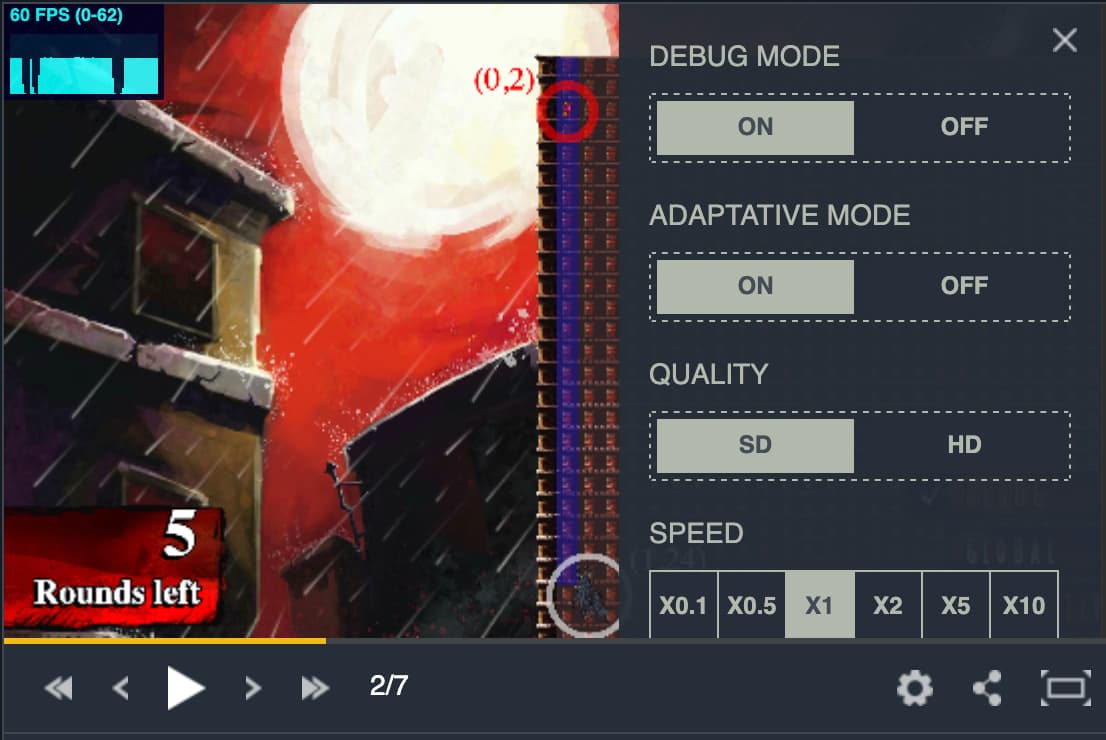
I tested just now and everything seemed to be working as expected (see the screenshot below for reference). Could this be a temporary issue on your side?
Interesting, I don’t have anywhere near that fancy of a UI! I’m considered a “new user” (despite my account being years old) so can’t upload an image, but I don’t have anything like that, and instead have a more IDE-like view, with the requirements on the left, the console outputs below that, my code on the right, and the testcases list beneath that. In the bottom right is “Actions”, which has “Play all Testcases” and “Submit”