CodinGame Pro Mode is a set of tools designed to enhance your CodinGame experience.
It is available as:
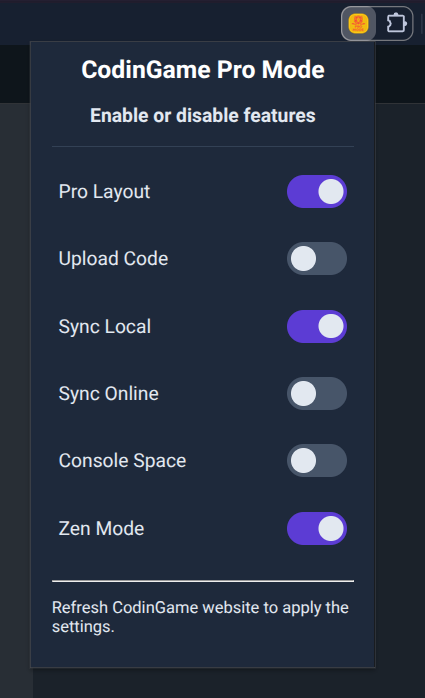
Use only what you need: all tools can be enabled or disabled entirely, so you can customize it to your liking. Tool toggles are available in the extension popup window:
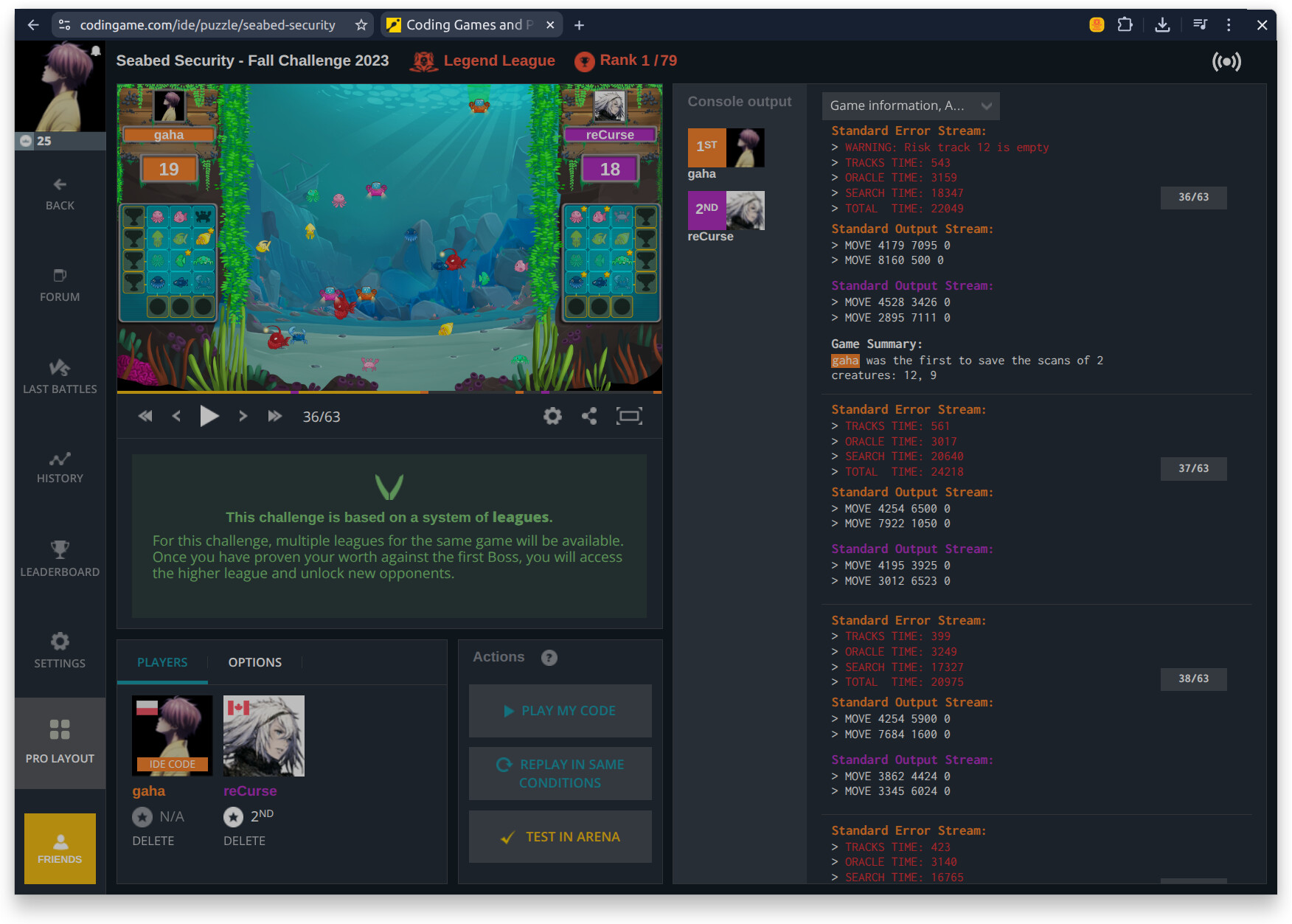
Pro Layout
A minimalist layout that hides the online editor and maximizes space for the “Console output”. Can be toggled instantly from the left panel.
Sync Local and Online
Real-time bidirectional synchronization between the CodinGame IDE and your local file.
- Sync Local: Push local changes to the online IDE automatically
- Sync Online: Save online changes directly to your local file system
You can enable both or just one of them.
More features are available:
- Upload Code adds a button to upload a local source file directly into the online editor. This is useful if you are not using automatic synchronization but have the Pro Layout on.
- Console Space lets you scroll past the end of “Console output”. You’ll know when you need it.
- Zen Mode hides potential distractions: side bar, top bar and the problem statement. You can focus on actual work, instead of constantly peeking at your rank changes. To disable Zen Mode, refresh the page.
The main feature I created this extension for is the “Pro Layout”. There are other extensions like CG Local by Jasperr that provide code synchronization. However, they require an additional application running on your computer. To overcome it, this extension uses “The File System Access API” available in Chrome (and other Chromium-based browsers). It allows for code synchronization without any external apps.
If you have ideas for useful features that could be added, please let me know here or create an Issue on GitHub.